PyExe-Builder
publicA feature-rich GUI tool for converting Python scripts into standalone executables using PyInstaller. With support for multiple languages, customizable themes, and advanced build options, it’s perfect for developers seeking an intuitive way to package their applications.
PyExe Builder Professional




📖 Overview
PyExe Builder Professional is a powerful, user-friendly GUI application designed to simplify the process of converting Python scripts into standalone executable files (.exe) using PyInstaller. Built with PyQt6, this tool offers a sleek, modern interface with multilingual support, customizable themes, and advanced build options, making it ideal for developers of all skill levels. Whether you're packaging a simple script or a complex application with dependencies, PyExe Builder Professional streamlines the process with an intuitive workflow.
✨ Features
- Graphical User Interface: A clean, tabbed interface for easy navigation.
- Multilingual Support: Available in English, Japanese, Korean, and Filipino.
- Custom Themes: Six professionally designed dark themes for a personalized experience.
- Advanced Build Options: Support for one-file builds, console/no-console modes, admin access, and more.
- Dependency Management: Automatically install dependencies from
requirements.txt. - Metadata Customization: Add company details, version info, and legal metadata to your executables.
- Real-Time Build Console: Monitor the build process with color-coded logs.
- System Tray Integration: Minimize to tray for convenience.
- Cross-Platform: Compatible with Windows, Linux, and macOS (with minor adjustments).
🚀 Installation
Prerequisites
- Python 3.8+: Ensure Python is installed on your system.
- Pip: Python package manager (usually included with Python).
- Dependencies: Automatically installed via
start.py.
Steps
-
Clone the Repository:
git clone https://github.com/VoxDroid/PyExe-Builder.git cd PyExe-Builder -
Run the Application:
python start.py- This creates a virtual environment (
.builder_env) and installs required packages (PyQt6,psutil,pyinstaller,qtawesome).
- This creates a virtual environment (
-
Launch the GUI: The app will start automatically after setup.
Alternative: Build the Executable
To create a standalone .exe:
- Open the GUI by running
start.py. - In the Main Tab, select
start.pyas the "Python Script". - In the Dependencies Tab, add:
app.py;. Poppins-Regular.ttf;. - Check "One File" and "Clean Build" options.
- Click "Build Executable" and specify an output directory.
📋 Usage
Main Interface
| Tab | Description |
|---|---|
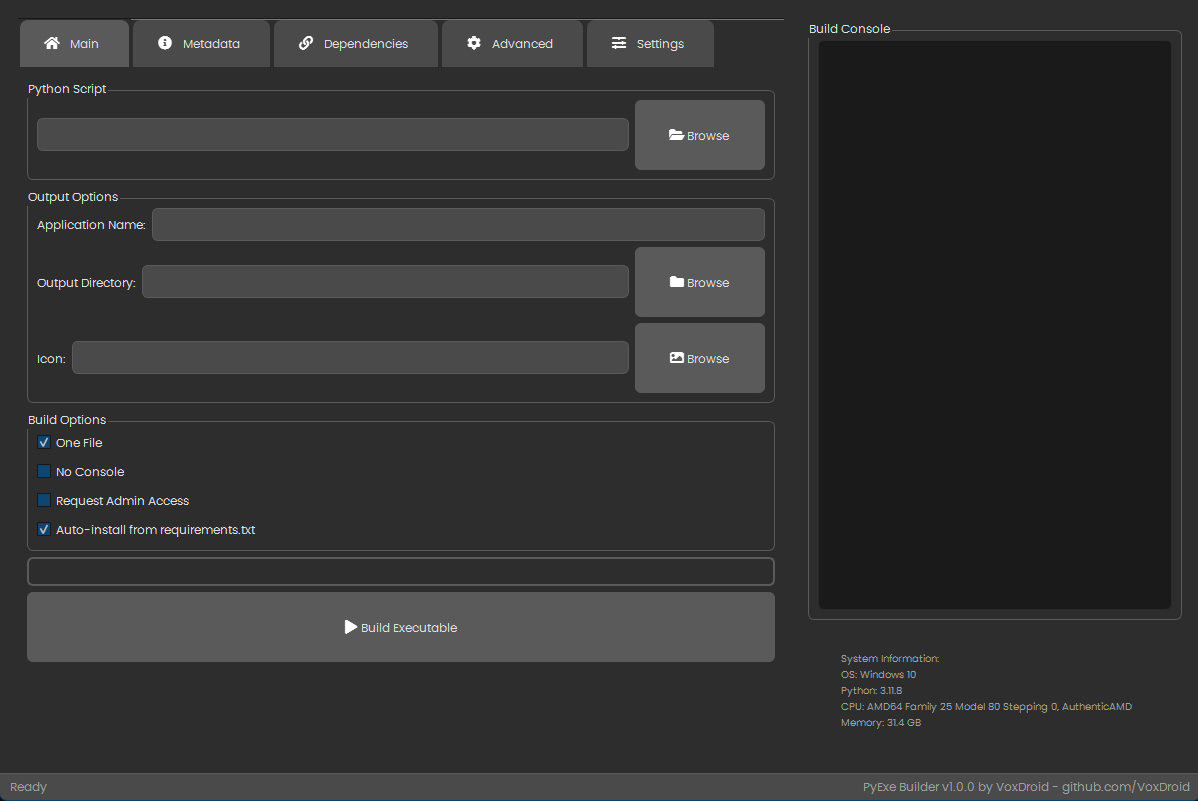
| Main | Select script, set output options, and build. |
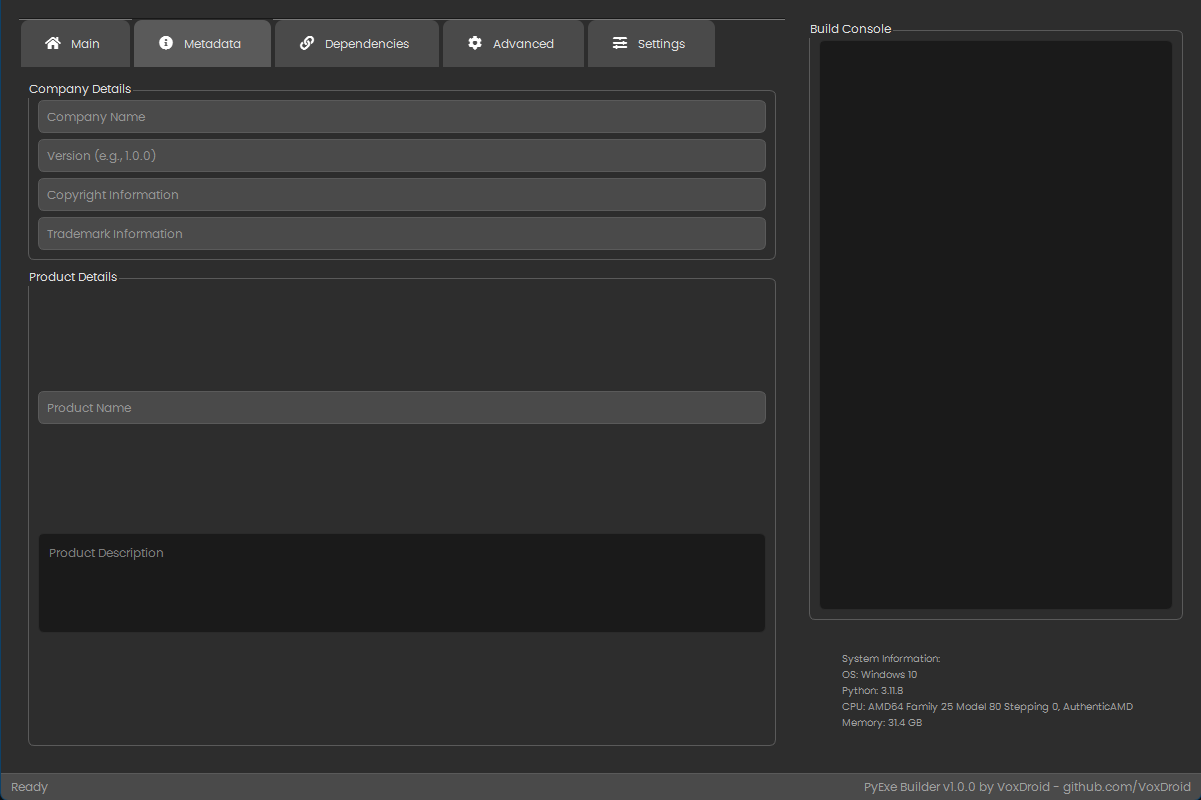
| Metadata | Add company and product details. |
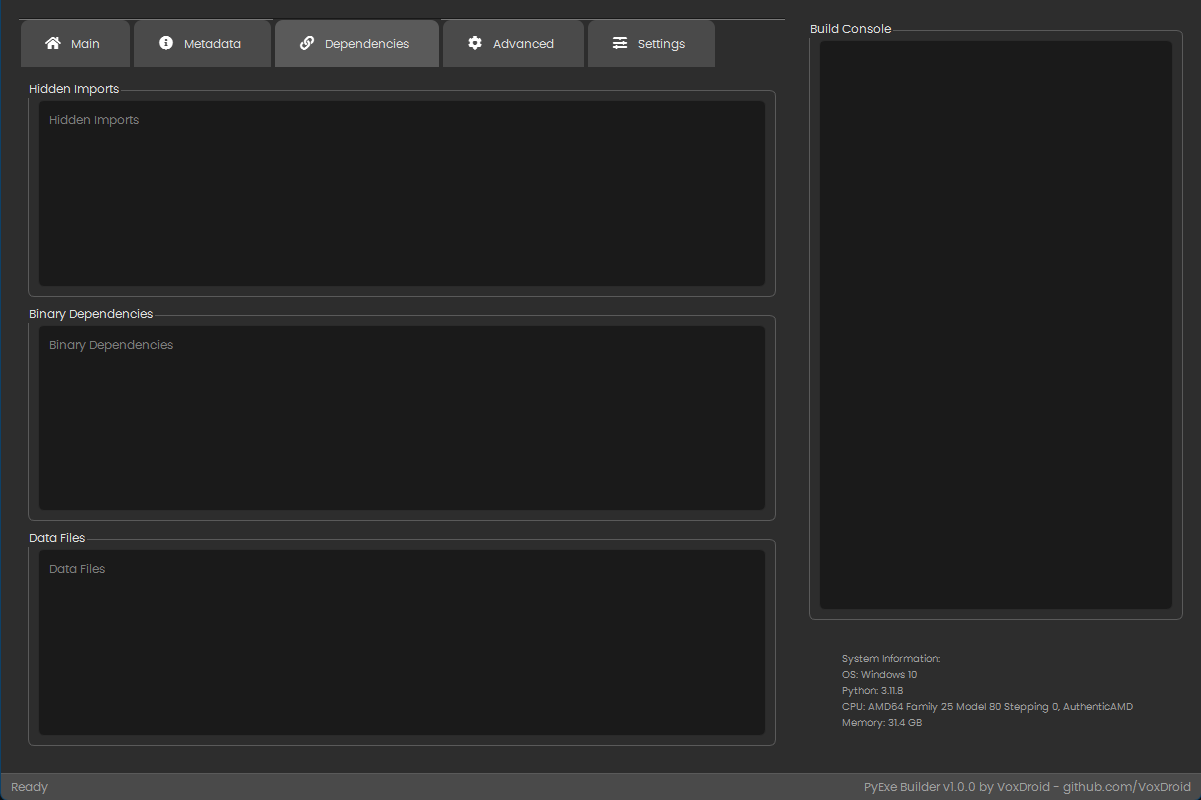
| Dependencies | Specify hidden imports, binaries, and data files. |
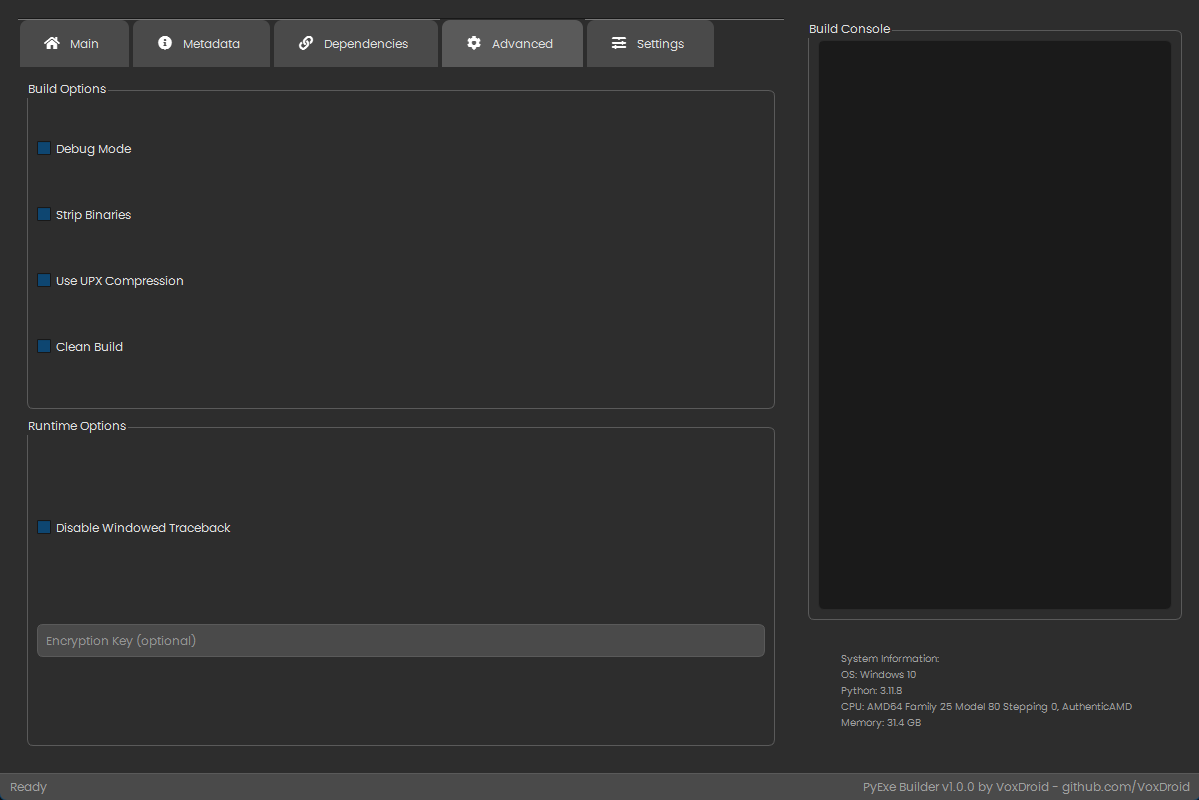
| Advanced | Configure build and runtime options. |
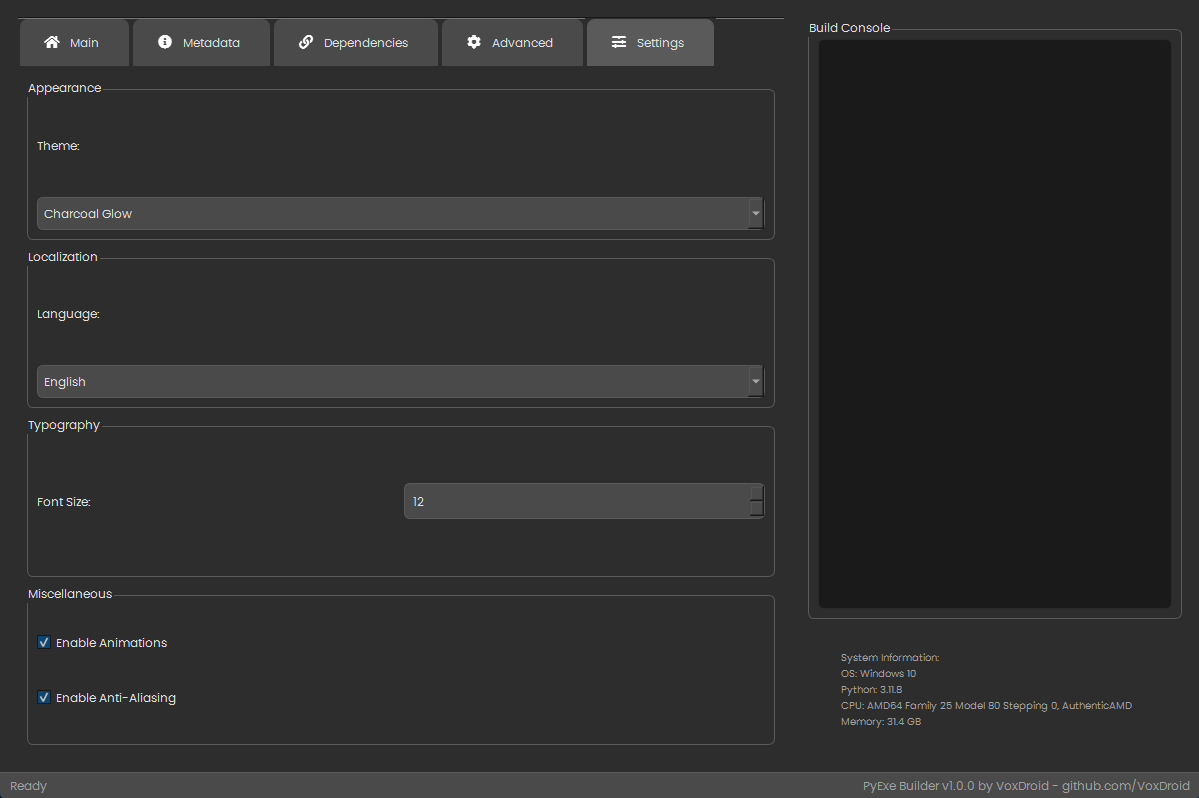
| Settings | Customize theme, language, and UI preferences. |
Building an Executable
-
Main Tab:
- Choose your Python script.
- Set application name and output directory.
- Optionally select an icon.
-
Dependencies Tab (if needed):
- Add external files or imports.
-
Build:
- Click "Build Executable" and monitor progress in the console.
🎨 Customization
Themes
Choose from six dark themes:
- Dark Soft
- Midnight Blue
- Slate Gray
- Deep Forest
- Velvet Night
- Charcoal Glow
Adjust in the Settings Tab under "Theme".
Languages
Supported languages:
- English
- Japanese (日本語)
- Korean (한국어)
- Filipino (Tagalog)
Set in the Settings Tab under "Language".
🛠️ Technical Details
Dependencies
| Package | Version | Purpose |
|---|---|---|
| PyQt6 | Latest | GUI framework |
| psutil | Latest | System information |
| PyInstaller | Latest | Executable packaging |
| qtawesome | Latest | Icon library |
File Structure
PyExe-Builder/
├── start.py              # Entry point and environment setup
├── app.py                # Main GUI application
├── Poppins-Regular.ttf   # Font file
├── .builder_env/         # Virtual environment (auto-generated)
├── build/                # Build artifacts (auto-generated)
└── dist/                 # Output executables (auto-generated)
🌟 Contributing
We welcome contributions! Please read our Contributing Guide for details on how to contribute, and review our Code of Conduct to ensure a positive and inclusive community.
To get started:
- Fork the Repository: Click "Fork" on GitHub.
- Clone Your Fork:
git clone https://github.com/VoxDroid/PyExe-Builder.git - Create a Branch:
git checkout -b feature/your-feature - Make Changes: Implement your feature or fix.
- Commit and Push:
git add . git commit -m "Add your feature description" git push origin feature/your-feature - Submit a Pull Request: Open a PR on GitHub.
Guidelines
- Follow PEP 8 for Python code.
- Test changes locally before submitting.
- Update documentation if applicable.
🐛 Issues and Support
For support, please refer to our Support Guide. If you encounter security issues, please review our Security Policy.
Found a bug? Have a question?
- Open an Issue: Use the Issues tab.
- Contact: Reach out via GitHub Discussions or email (if provided).
📜 License
This project is licensed under the MIT License. See the LICENSE file for details.
🙌 Acknowledgments
- PyQt6 Team: For an excellent GUI framework.
- PyInstaller Contributors: For making Python packaging possible.
- qtawesome: For beautiful icons.
- Poppins Font: For a sleek typography experience.
📈 Roadmap
- Add support for additional languages.
- Implement drag-and-drop for file inputs.
- Enhance theme customization with light mode options.
- Add pre-build validation checks.
- Support for macOS-specific optimizations.
📊 Stats



💡 Tips and Tricks
- Speed Up Builds: Enable "Clean Build" to avoid caching issues.
- Debugging: Use the "Debug Mode" option to troubleshoot build errors.
- Portable Builds: Use "One File" for easy distribution.
📸 Screenshots
Main Tab
Metadata Tab
Dependencies Tab
Advanced Tab
Settings Tab
🔗 Links
- Repository: github.com/VoxDroid/PyExe-Builder
- Issues: github.com/VoxDroid/PyExe-Builder/issues
- Author: VoxDroid
🎉 Final Words
Thank you for checking out PyExe Builder Professional! We hope it simplifies your Python packaging needs. Star the repo if you find it useful, and happy coding! 🚀