VoxSpace




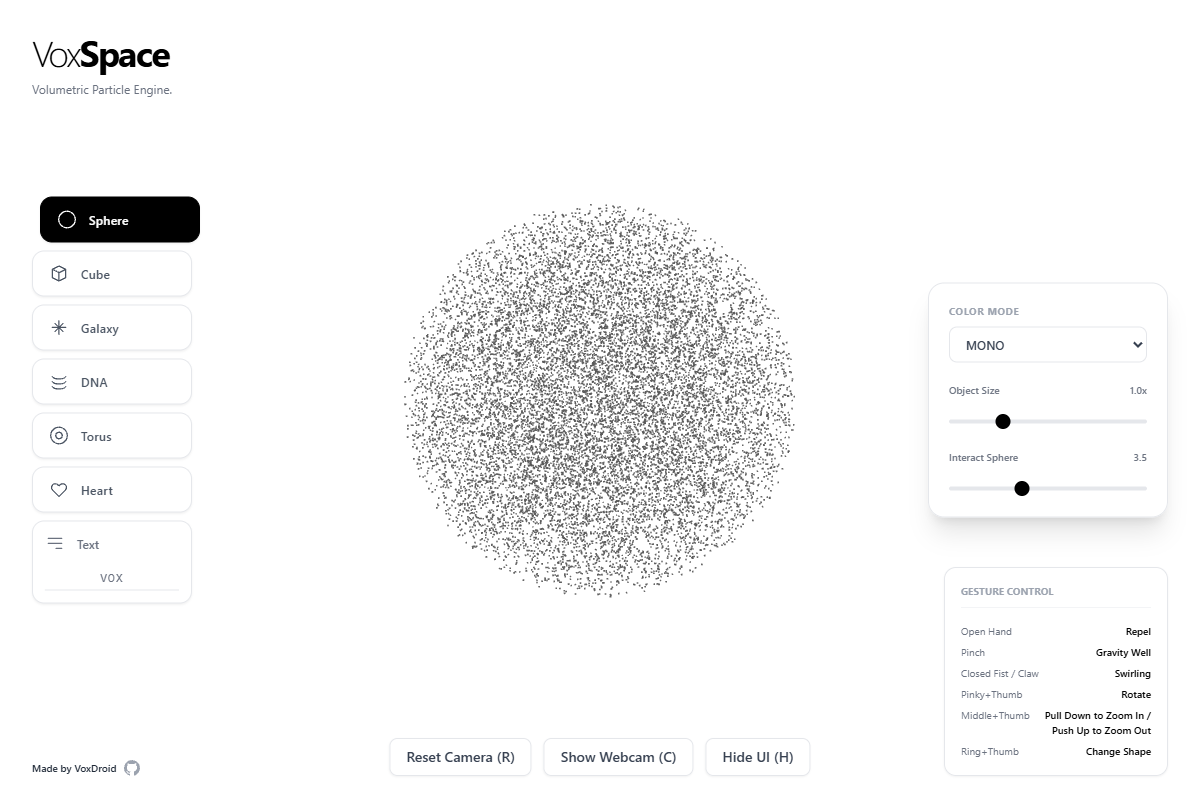
VoxSpace - An interactive 3D particle visualization experience controlled by hand gestures using computer vision.
A cutting-edge web application that transforms your webcam into a magical controller for 3D particle systems. Use natural hand gestures to manipulate beautiful volumetric shapes in real-time.
Features
| Category | Feature | Description |
|---|---|---|
| Core Functionality | Real-time Hand Tracking | Advanced computer vision using MediaPipe for precise gesture recognition |
| 3D Particle Systems | Thousands of particles forming dynamic volumetric shapes | |
| Gesture-Based Controls | Intuitive hand movements for interaction, rotation, and zoom | |
| Multiple Shapes | Sphere, Cube, Galaxy, DNA Helix, Torus, Heart, and custom Text shapes | |
| Color Modes | 8 different color schemes including Rainbow, Fire, Ocean, and Cyber themes | |
| Visual Effects | Dynamic Coloring | Velocity-based, spectrum-based, and depth-based color modes |
| Smooth Animations | Fluid particle movements with physics-based interactions | |
| Interactive Physics | Attract, repel, and swirl effects based on hand proximity | |
| Responsive Design | Optimized for desktop and mobile devices | |
| Controls & Interaction | Camera Controls | Reset camera position and toggle webcam visibility |
| Shape Selection | Click or use gestures to cycle through different 3D forms | |
| Parameter Tuning | Adjust object scale, interaction radius, and particle density | |
| Keyboard Shortcuts | Quick access with H (UI), R (Reset), C (Camera) keys |
Live Demo
Experience VoxSpace live: vox-space-zeta.vercel.app
Screenshots
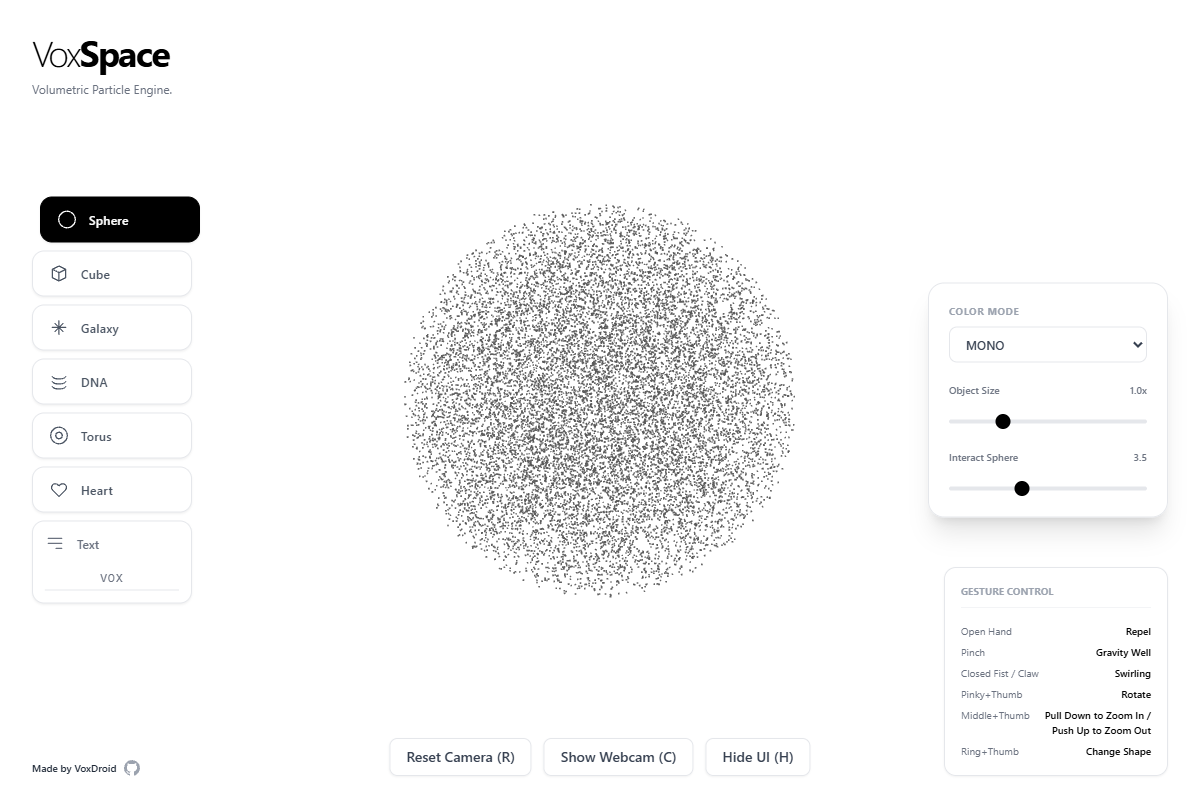
Figure 1: VoxSpace main interface showing the 3D particle system with gesture controls.
Technology Stack
Frontend Framework
- React 19 - Modern React with concurrent features
- TypeScript - Type-safe development
- Vite - Lightning-fast build tool and dev server
3D Graphics & Visualization
- Three.js - Powerful 3D graphics library
- React Three Fiber - React renderer for Three.js
- React Three Drei - Useful helpers and abstractions
Computer Vision & AI
- MediaPipe Tasks Vision - Google's computer vision framework
- Hand Landmark Detection - Real-time hand pose estimation
- WebRTC - Camera access and video processing
UI & Styling
- Tailwind CSS - Utility-first CSS framework
- Custom Components - Hand-crafted UI elements
- Responsive Design - Mobile-first approach
Prerequisites
- Node.js 18+ and npm
- Modern Web Browser with WebRTC support (Chrome, Firefox, Safari, Edge)
- Webcam for hand gesture control
- HTTPS for camera access (automatically provided in production)
Installation & Setup
Clone the Repository
git clone https://github.com/VoxDroid/VoxSpace.git
cd VoxSpace
Install Dependencies
npm install
Development Server
npm run dev
Open http://localhost:5173 in your browser.
Build for Production
npm run build
Preview Production Build
npm run preview
Usage Guide
Getting Started
- Allow Camera Access: Grant permission when prompted
- Position Your Hand: Center your hand in the camera view
- Start Interacting: Use gestures to control the particles
Hand Gesture Controls
| Gesture | Action | Description |
|---|---|---|
| Open Hand | Repel | Push particles away from your hand |
| Pinch/Fist | Gravity Well | Attract particles toward your palm center |
| Closed Fist/Claw | Swirling | Create rotational vortex effects |
| Pinky + Thumb | Rotate | Rotate the entire particle system |
| Middle + Thumb | Zoom | Pull down to zoom in, push up to zoom out |
| Ring + Thumb | Change Shape | Cycle through different 3D shapes |
UI Controls
Shape Selection (Left Panel)
- Click any shape button to switch forms
- Text shape allows custom input (max 8 characters)
- Visual feedback shows current selection
Settings Panel (Right Panel)
- Color Mode: Dropdown with 8 color schemes
- Object Size: Scale the particle formation (0.5x - 2.5x)
- Interact Sphere: Adjust gesture detection radius (1-8 units)
Bottom Controls
- Reset Camera (R): Return to default camera position
- Show Webcam (C): Toggle camera preview visibility
- Hide UI (H): Toggle interface visibility
Keyboard Shortcuts
- H: Toggle UI visibility
- R: Reset camera position
- C: Toggle webcam preview
Customization
Adding New Shapes
// In types.ts
export enum ShapeType {
  // Add your new shape
  MY_SHAPE = 'MY_SHAPE'
}
Creating Color Modes
// In ParticleSystem.tsx
} else if (colorMode === ColorMode.MY_COLOR) {
  // Your color logic here
  tmpColor.setHSL(hue, saturation, lightness);
}
Custom Gestures
// In WebcamHandler.tsx
// Add gesture detection logic
const myGesture = Math.sqrt(
  Math.pow(finger1.x - finger2.x, 2) +
  Math.pow(finger1.y - finger2.y, 2)
);
Mobile Support
VoxSpace works on mobile devices with the following considerations:
- Touch Controls: Limited gesture support (work in progress)
- Performance: Reduce particle count for better performance
- Camera: Front-facing camera is used by default
- Orientation: Best experienced in landscape mode
Deployment
Vercel (Recommended)
# Install Vercel CLI
npm install -g vercel

# Deploy
vercel
Other Platforms
The app can be deployed to any static hosting service:
- Netlify
- GitHub Pages
- AWS S3 + CloudFront
- Firebase Hosting
Build Configuration
// vite.config.ts
export default defineConfig({
  build: {
    rollupOptions: {
      output: {
        manualChunks: {
          three: ['three', '@react-three/fiber', '@react-three/drei'],
          mediapipe: ['@mediapipe/tasks-vision']
        }
      }
    }
  }
})
Development
Project Structure
voxspace/
├── public/
├── src/
│   ├── components/
│   │   ├── App.tsx           # Main application component
│   │   ├── ParticleSystem.tsx # 3D particle rendering
│   │   └── WebcamHandler.tsx  # Camera and gesture processing
│   ├── services/
│   │   └── visionService.ts   # MediaPipe integration
│   ├── types.ts               # TypeScript type definitions
│   └── utils/
│       └── geometryGenerators.ts # Shape generation utilities
├── package.json
├── tsconfig.json
├── vite.config.ts
└── README.md
Key Components
App.tsx
- Main application state management
- UI layout and controls
- Keyboard event handling
ParticleSystem.tsx
- Three.js scene setup
- Particle physics and rendering
- Color mode implementations
WebcamHandler.tsx
- Camera initialization and streaming
- Hand landmark detection
- Gesture recognition logic
visionService.ts
- MediaPipe Tasks Vision wrapper
- Hand detection pipeline
Contributing
We welcome contributions! Please follow these steps:
- Fork the repository
- Create a feature branch:
git checkout -b feature/amazing-feature - Commit your changes:
git commit -m 'Add amazing feature' - Push to the branch:
git push origin feature/amazing-feature - Open a Pull Request
Development Guidelines
- Use TypeScript for all new code
- Follow existing code style and patterns
- Test on multiple browsers
- Update documentation for new features
Roadmap
Planned Features
- Multi-hand support for collaborative interactions
- Voice commands integration with speech recognition
- VR/AR support for immersive experiences
- Custom particle shaders for advanced visual effects
- Recording and playback of gesture sequences
Performance Improvements
- WebAssembly optimization for faster hand tracking
- LOD (Level of Detail) for large particle counts
- GPU acceleration for physics calculations
Platform Support
- Mobile app versions for iOS and Android
- Desktop application with Electron
- WebXR integration for VR headsets
License
This project is licensed under the MIT License - see the LICENSE file for details.
Acknowledgments
- Google MediaPipe for the incredible computer vision capabilities
- Three.js community for the powerful 3D graphics framework
- React ecosystem for the amazing developer experience
Support
- Issues: GitHub Issues
- Discussions: GitHub Discussions
- Email: izeno.contact@gmail.com
Made with ❤️ by VoxDroid
Experience the future of human-computer interaction through the magic of computer vision and 3D graphics!