Desktop App
Java-Quiz-App
Welcome to JavaFX Quiz App, a desktop application built with JavaFX in IntelliJ IDEA.
The facts
- Type
- Desktop App
- Status
- Archived
- Language
- Java
- Stars
- 5
- Forks
- 2
- Started
- Oct 9, 2024
- Last push
- Apr 25, 2025
- Latest release
- v1.0.0
- desktop-application
- intellij
- java
- java-11
- java-fx
- java-programming
- java-project
- java-projects
- java-quiz
- javafx
- javaprogramming
- quiz-app
- quiz-application
- quiz-maker
- quizapp
Inks used
- Java 91.7%
- CSS 8.3%
Stills
From the README
🎮 JavaFX Quiz App



Welcome to JavaFX Quiz App, a feature-rich desktop quiz application built with JavaFX and SQLite. This application provides an engaging and interactive platform for creating, managing, and playing quizzes with a modern user interface. Designed for educators, students, and trivia enthusiasts, JavaFX Quiz App combines robust functionality with a sleek, customizable experience.
🎯 Features
-
Quiz Management:
- Create, edit, and delete quizzes with customizable names and categories.
- Organize quizzes with auto-incrementing quiz numbers for easy tracking.
- Manage questions within each quiz, supporting both multiple-choice and identification question types.
-
Question Creation:
- Add and edit questions with a user-friendly interface.
- Support for multiple-choice questions with up to four answer options.
- Identification questions for open-ended responses.
- Store questions and answers in a persistent SQLite database.
-
Interactive Quiz Gameplay:
- Play quizzes with a dynamic interface featuring progress bars, timers, and animated transitions.
- Configurable settings for the number of questions, time per question, and immediate answer feedback.
- Randomized question order for varied gameplay.
- Score tracking with detailed results at the end of each quiz.
-
Customization and Settings:
- Multilingual support with languages including English, Japanese, Filipino, Korean, Chinese, German, Russian, and Spanish.
- Toggleable animations for a smoother or lighter user experience.
- Adjustable quiz settings such as timer visibility, animation effects, and answer submission modes.
-
User Interface:
- Modern, responsive JavaFX UI with fade transitions between views.
- Particle-based background animations for an engaging visual experience (can be disabled).
- Customizable application icon and localized UI elements.
-
Data Persistence:
- SQLite database for storing quizzes, questions, and answers.
- Robust database operations for adding, updating, and deleting quiz data.
- Automatic schema creation and migration handling.
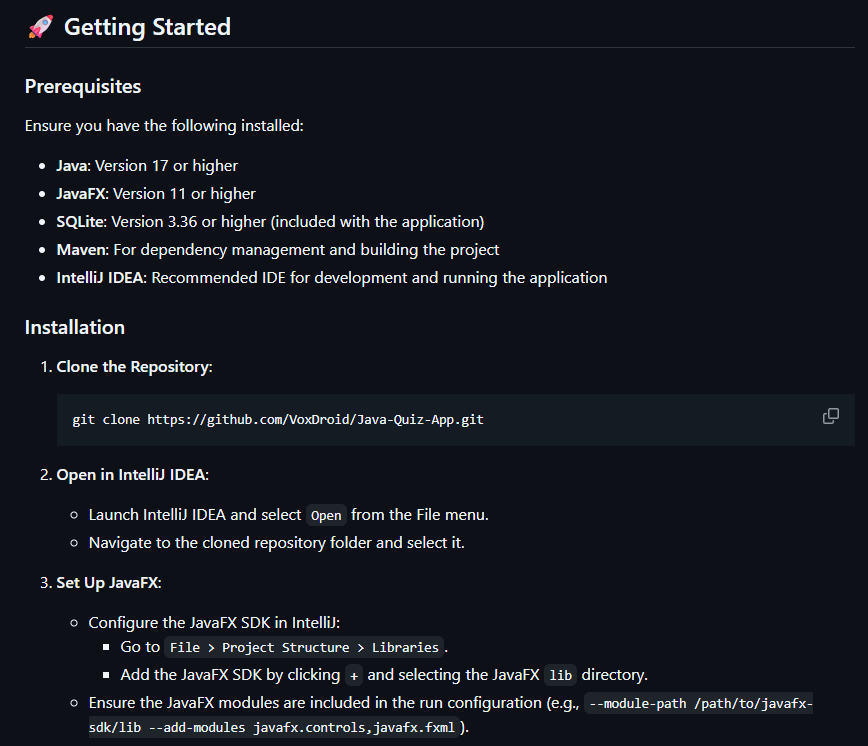
🚀 Getting Started
Prerequisites
Ensure you have the following installed:
- Java: Version 17 or higher
- JavaFX: Version 11 or higher
- SQLite: Version 3.36 or higher (included with the application)
- Maven: For dependency management and building the project
- IntelliJ IDEA: Recommended IDE for development and running the application
Installation
-
Clone the Repository:
git clone https://github.com/VoxDroid/Java-Quiz-App.git -
Open in IntelliJ IDEA:
- Launch IntelliJ IDEA and select
Openfrom the File menu. - Navigate to the cloned repository folder and select it.
- Launch IntelliJ IDEA and select
-
Set Up JavaFX:
- Configure the JavaFX SDK in IntelliJ:
- Go to
File > Project Structure > Libraries. - Add the JavaFX SDK by clicking
+and selecting the JavaFXlibdirectory.
- Go to
- Ensure the JavaFX modules are included in the run configuration (e.g.,
--module-path /path/to/javafx-sdk/lib --add-modules javafx.controls,javafx.fxml).
- Configure the JavaFX SDK in IntelliJ:
-
Add SQLite Dependency:
-
The project uses SQLite for data storage. Ensure the SQLite JDBC driver is included in your Maven
pom.xml:<dependency> <groupId>org.xerial</groupId> <artifactId>sqlite-jdbc</artifactId> <version>3.36.0.3</version> </dependency>
-
-
Build and Run:
-
Use Maven to build the project:
mvn clean install -
Run the application:
mvn javafx:run
-
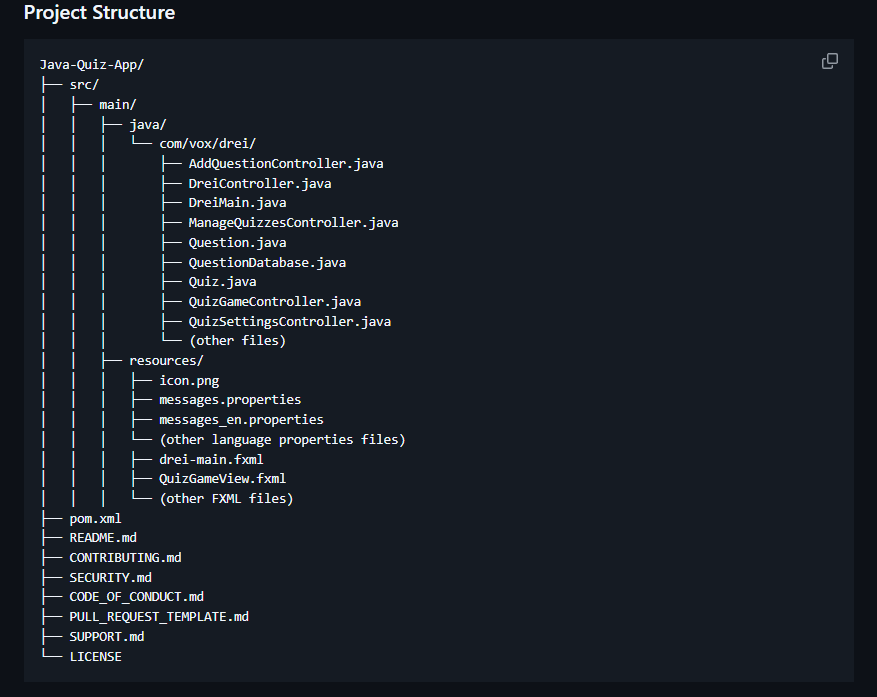
Project Structure
Java-Quiz-App/
├── src/
│   ├── main/
│   │   ├── java/
│   │   │   └── com/vox/drei/
│   │   │       ├── AddQuestionController.java
│   │   │       ├── DreiController.java
│   │   │       ├── DreiMain.java
│   │   │       ├── ManageQuizzesController.java
│   │   │       ├── Question.java
│   │   │       ├── QuestionDatabase.java
│   │   │       ├── Quiz.java
│   │   │       ├── QuizGameController.java
│   │   │       ├── QuizSettingsController.java
│   │   │       └── (other files)
│   │   ├── resources/
│   │   │   ├── icon.png
│   │   │   ├── messages.properties
│   │   │   ├── messages_en.properties
│   │   │   └── (other language properties files)
│   │   │   ├── drei-main.fxml
│   │   │   ├── QuizGameView.fxml
│   │   │   └── (other FXML files)
├── pom.xml
├── README.md
├── CONTRIBUTING.md
├── SECURITY.md
├── CODE_OF_CONDUCT.md
├── PULL_REQUEST_TEMPLATE.md
├── SUPPORT.md
└── LICENSE
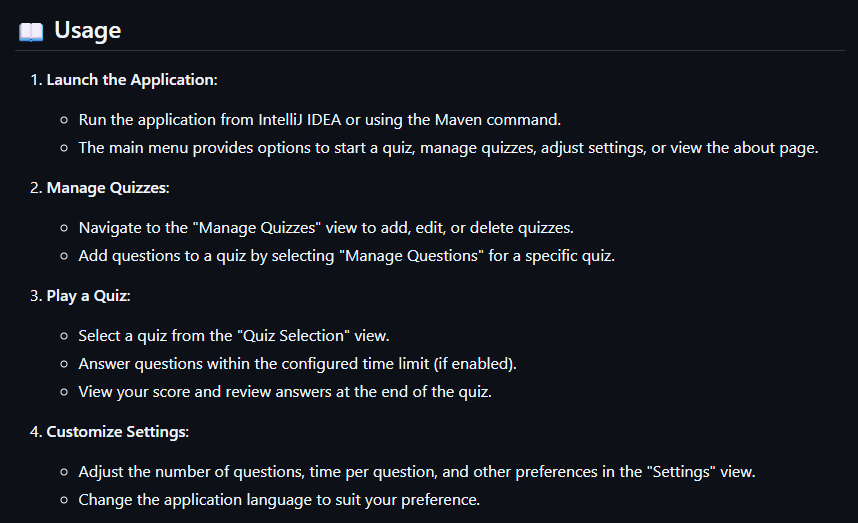
📖 Usage
-
Launch the Application:
- Run the application from IntelliJ IDEA or using the Maven command.
- The main menu provides options to start a quiz, manage quizzes, adjust settings, or view the about page.
-
Manage Quizzes:
- Navigate to the "Manage Quizzes" view to add, edit, or delete quizzes.
- Add questions to a quiz by selecting "Manage Questions" for a specific quiz.
-
Play a Quiz:
- Select a quiz from the "Quiz Selection" view.
- Answer questions within the configured time limit (if enabled).
- View your score and review answers at the end of the quiz.
-
Customize Settings:
- Adjust the number of questions, time per question, and other preferences in the "Settings" view.
- Change the application language to suit your preference.
🛠️ Built With
- JavaFX: UI framework for building the graphical interface.
- SQLite: Lightweight database for storing quiz data.
- Maven: Dependency management and build tool.
- IntelliJ IDEA: IDE for development and debugging.
- Java: Core programming language (version 17).
🧪 Testing
- Unit Testing: Use JUnit to test core functionalities like database operations and question handling.
- Manual Testing: Verify UI components, transitions, and multilingual support through manual interaction.
- Database Testing: Ensure SQLite operations (CRUD) work correctly by adding, editing, and deleting quizzes and questions.
🤝 Contributing
We welcome contributions from the community! Please read our Contributing file for guidelines on how to contribute to this project.
🔒 Security
For information on reporting security vulnerabilities or learning about our security practices, please see our Security file.
📜 Code of Conduct
To ensure a welcoming and inclusive community, please review our Code of Conduct file.
❓ Support
For help with the JavaFX Quiz App, including troubleshooting and feature requests, please refer to our Support file.
📝 License
This project is licensed under the MIT License. See the LICENSE file for details.
📬 Contact
For questions or feedback, please contact:
- GitHub: @VoxDroid
- Email: izeno.contact@gmail.com
© 2025 Izeno. All rights reserved.
Releases
- JavaFX Quiz App v1.0.0v1.0.0 · Apr 21, 2025
Latest commits
- docs: update issue templatesbc58cdb · Apr 25, 2025
- Update FUNDING.yml7a5bb65 · Apr 18, 2025
- Update FUNDING.yml35bae78 · Apr 18, 2025
- docs: update README.mdaab407e · Apr 18, 2025
- docs: create CODE_OF_CONDUCT.md986d479 · Apr 18, 2025
- chore: create documentation files and issue templatesffcea03 · Apr 18, 2025
- Final8749b77 · Dec 12, 2024
- System Update/Improvemente4a98a4 · Oct 13, 2024