Linux Auto-Installation Scripts
Overview
This repository provides a collection of automated shell scripts designed to streamline the installation and configuration of software packages, development tools, and system utilities across multiple Linux distributions. The scripts are organized by distribution to ensure compatibility and optimal performance on each platform.
The primary goal of this project is to simplify the setup of Linux environments for developers, system administrators, and enthusiasts by automating repetitive installation tasks, reducing manual configuration time, and ensuring consistent setups across different systems.
Supported Distributions
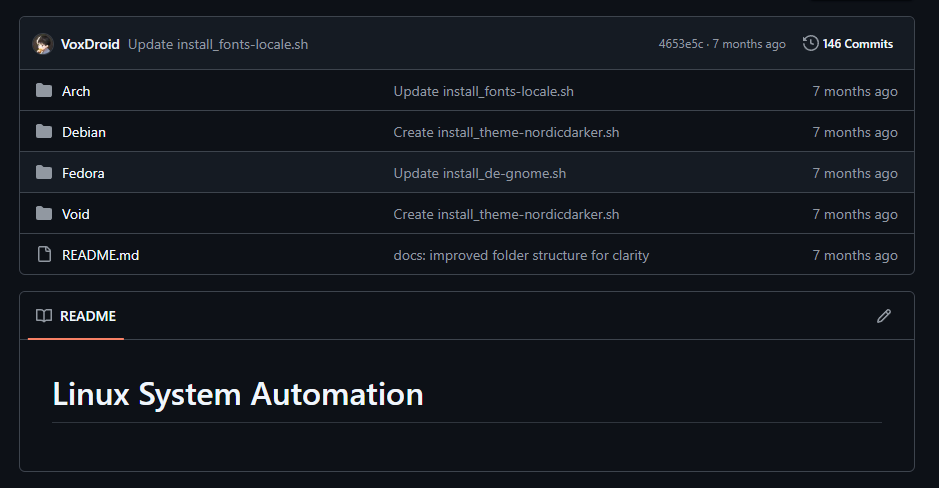
The repository currently supports the following Linux distributions:
- Arch Linux - Scripts optimized for pacman package manager
- Debian - Scripts for apt-based systems
- Fedora - Scripts for dnf/yum package manager
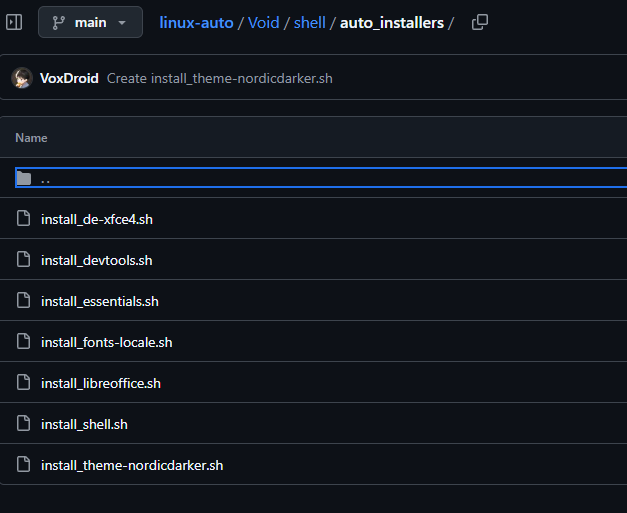
- Void Linux - Scripts for xbps package manager
Repository Structure
linux-auto/
├── Arch/                    # Arch Linux specific scripts
│   ├── README.md           # Arch-specific documentation
│   └── shell/
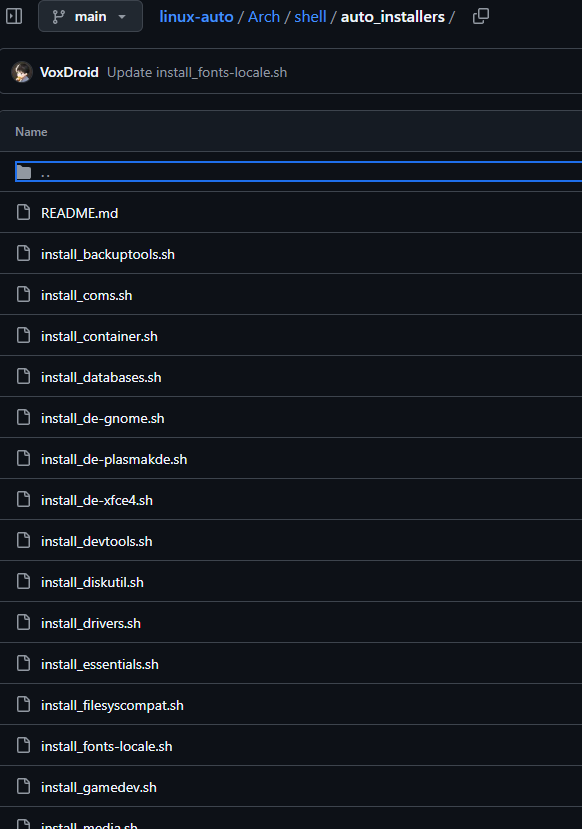
│       ├── auto_installers/ # Automated installation scripts
│       └── system_scripts/  # System maintenance scripts
├── Debian/                 # Debian specific scripts
│   ├── README.md          # Debian-specific documentation
│   └── shell/
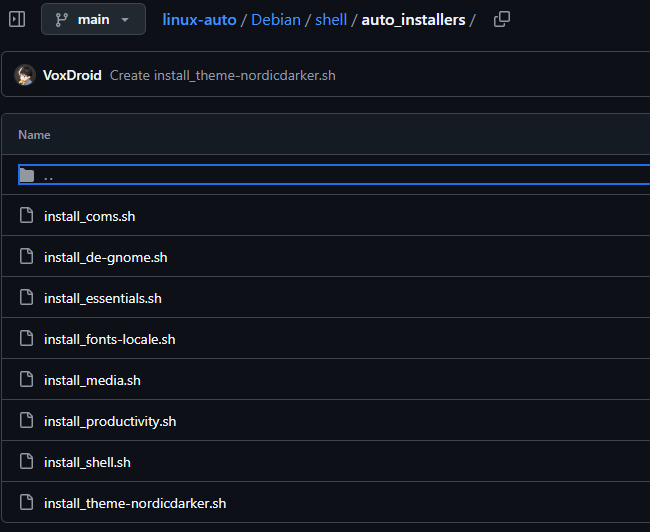
│       └── auto_installers/ # Automated installation scripts
├── Fedora/                 # Fedora specific scripts
│   ├── README.md          # Fedora-specific documentation
│   └── shell/
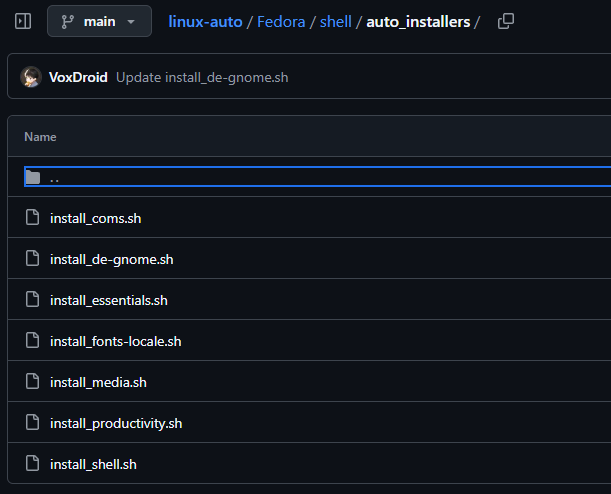
│       └── auto_installers/ # Automated installation scripts
├── Void/                   # Void Linux specific scripts
│   ├── README.md          # Void-specific documentation
│   └── shell/
│       └── auto_installers/ # Automated installation scripts
└── README.md              # This file
Available Scripts
Common Categories
The scripts are categorized by functionality and are available across supported distributions (with some variations based on distribution-specific packages):
- Essentials (
install_essentials.sh) - Core system utilities and basic tools - Development Tools (
install_devtools.sh) - Compilers, build tools, and development environments - Programming Languages (
install_proglang.sh) - Programming language runtimes and SDKs - Version Control (
install_vcs.sh) - Git and other version control systems - Shell Enhancements (
install_shell.sh) - Shell improvements and utilities - Desktop Environments - Various DE installers (GNOME, KDE Plasma, XFCE4)
- Communication (
install_coms.sh) - Communication and collaboration tools - Media Tools (
install_media.sh) - Multimedia applications and codecs - Productivity (
install_productivity.sh) - Office suites and productivity software - Security (
install_netsec.sh) - Network security and monitoring tools - Virtualization (
install_virt.sh) - Virtualization platforms and tools - Databases (
install_databases.sh) - Database servers and clients - Containers (
install_container.sh) - Container runtimes and orchestration tools - Backup Tools (
install_backuptools.sh) - Backup and recovery utilities - Disk Utilities (
install_diskutil.sh) - Disk management and partitioning tools - Drivers (
install_drivers.sh) - Hardware drivers and firmware - File System Compatibility (
install_filesyscompat.sh) - File system support tools - Fonts and Localization (
install_fonts-locale.sh) - Fonts and locale settings - Game Development (
install_gamedev.sh) - Game development tools and engines - Monitoring (
install_monitoring.sh) - System monitoring and logging tools - Reverse Engineering (
install_reveng.sh) - Reverse engineering and analysis tools - Python Modules (
install_pymodules.sh) - Python packages and libraries - Themes (
install_theme-nordicdarker.sh) - Desktop themes and appearance customization
Distribution-Specific Scripts
- Arch Linux: Includes additional system scripts for locale management (
all_locales.sh) - Void Linux: Includes LibreOffice installer (
install_libreoffice.sh)
Usage
Prerequisites
- Root or sudo access is required for package installation
- Internet connection for downloading packages
- Compatible Linux distribution (see supported distributions above)
Running Scripts
-
Clone this repository:
git clone https://github.com/VoxDroid/linux-auto.git cd linux-auto -
Navigate to your distribution's directory:
cd Arch/ # or Debian/, Fedora/, Void/ -
Make the desired script executable:
chmod +x shell/auto_installers/install_essentials.sh -
Run the script with appropriate privileges:
sudo ./shell/auto_installers/install_essentials.sh
Script Behavior
- Scripts will automatically detect and install required dependencies
- Some scripts may prompt for user input during installation
- Scripts are designed to be idempotent (safe to run multiple times)
- Failed installations will be logged with error messages
Customization
Modifying Scripts
Each script is written in Bash and can be customized to fit specific needs:
- Edit package lists within the scripts
- Add or remove packages based on requirements
- Modify installation options or flags
Creating New Scripts
To add new installation scripts:
- Create a new
.shfile in the appropriateauto_installers/directory - Follow the existing script structure and conventions
- Include proper error handling and logging
- Update the distribution's README.md with documentation
Safety and Best Practices
- Review script contents before execution
- Test scripts in a virtual machine or non-production environment first
- Scripts may modify system configurations; backup important data
- Some packages may have interactive prompts requiring user attention
- Ensure package repositories are up to date before running scripts
Troubleshooting
Common Issues
- Permission Denied: Ensure scripts are executable and run with sudo
- Package Not Found: Verify the distribution and repository configuration
- Network Issues: Check internet connectivity and proxy settings
- Dependency Conflicts: Resolve package conflicts manually or modify scripts
Getting Help
- Check distribution-specific README files for additional guidance
- Review script output for error messages and troubleshooting information
- Consult distribution documentation for package-specific issues
Contributing
Contributions are welcome! To contribute to this project:
- Fork the repository
- Create a feature branch:
git checkout -b feature/new-script - Make your changes and test thoroughly
- Update relevant README files with documentation
- Submit a pull request with a clear description of changes
Contribution Guidelines
- Follow existing code style and structure
- Test scripts on target distributions
- Include comments for complex operations
- Update documentation for any new features
- Ensure scripts are compatible with the latest distribution versions
License
This project is licensed under the MIT License - see the LICENSE file for details.
Disclaimer
These scripts are provided as-is for educational and automation purposes. Users are responsible for understanding the impact of running these scripts on their systems. The maintainers are not liable for any damages or issues arising from the use of these scripts.