Desktop App · Featured act Nº 6
Task-Tracker-Pro
Task-Tracker‑Pro is a self‑hosted task and time‑tracking app with projects, tasks, and time entries. It runs as a web or desktop app (Electron), is built with Next.js + TypeScript, styled with TailwindCSS, and uses SQLite for local-first storage.
The facts
- Type
- Desktop App
- Status
- Maintained
- Language
- TypeScript
- Stars
- 3
- Forks
- 1
- Started
- Jun 14, 2025
- Last push
- Feb 19, 2026
- desktop-app
- electron
- kanban
- local-first
- nextjs
- offline-first
- open-source
- productivity
- project-management
- react
- rest-api
- self-hosted
- sqlite
- tailwindcss
- task-management
- task-tracker
- time-entries
- time-tracking
- typescript
- web-app
Inks used
- TypeScript 93.3%
- JavaScript 4.7%
- CSS 1.8%
- Dockerfile 0.1%
From the README

Task Tracker Pro
A simple, clean task tracking and personal productivity application built with Next.js and Electron.
Features • Screenshots • Installation • Usage • Development • Contributing • License
Overview
Task Tracker Pro is a lightweight personal productivity application designed for individuals who want a simple way to manage their daily tasks, personal projects, and track how they spend their time.
Built as a cross-platform desktop application, it runs on Windows, macOS, and Linux. All your data is stored locally in a SQLite database on your computer - no accounts, no cloud sync, no subscriptions. Your data stays private and works completely offline.
Features
What You Can Do
| Feature | Description |
|---|---|
| Task Management | Create and organize your tasks with priorities, due dates, and notes |
| Project Organization | Group related tasks into projects with custom colors |
| Time Tracking | Track how long you spend on tasks with a simple timer |
| Dashboard | See your productivity at a glance with charts and stats |
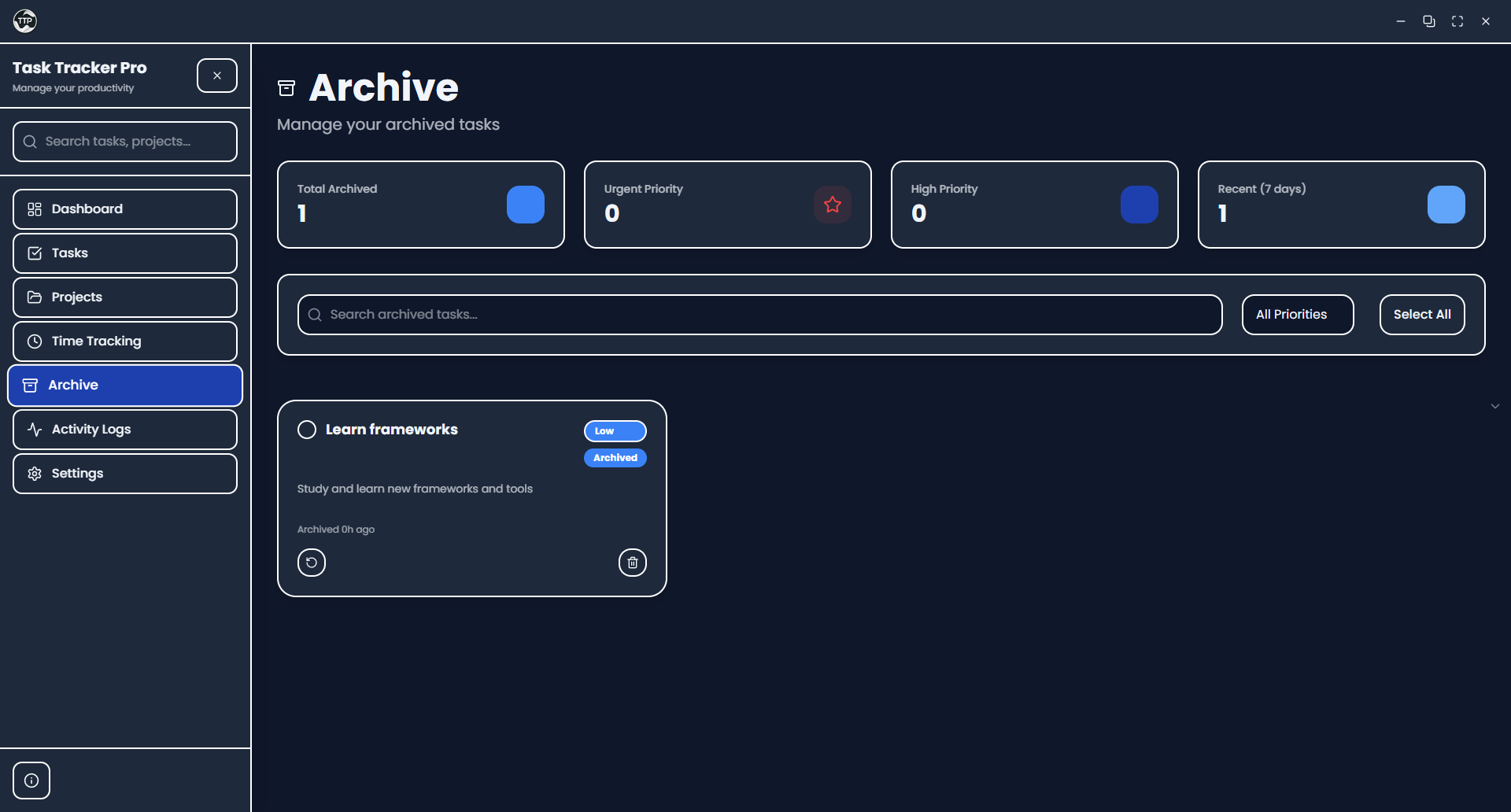
| Archive | Keep completed tasks archived for reference |
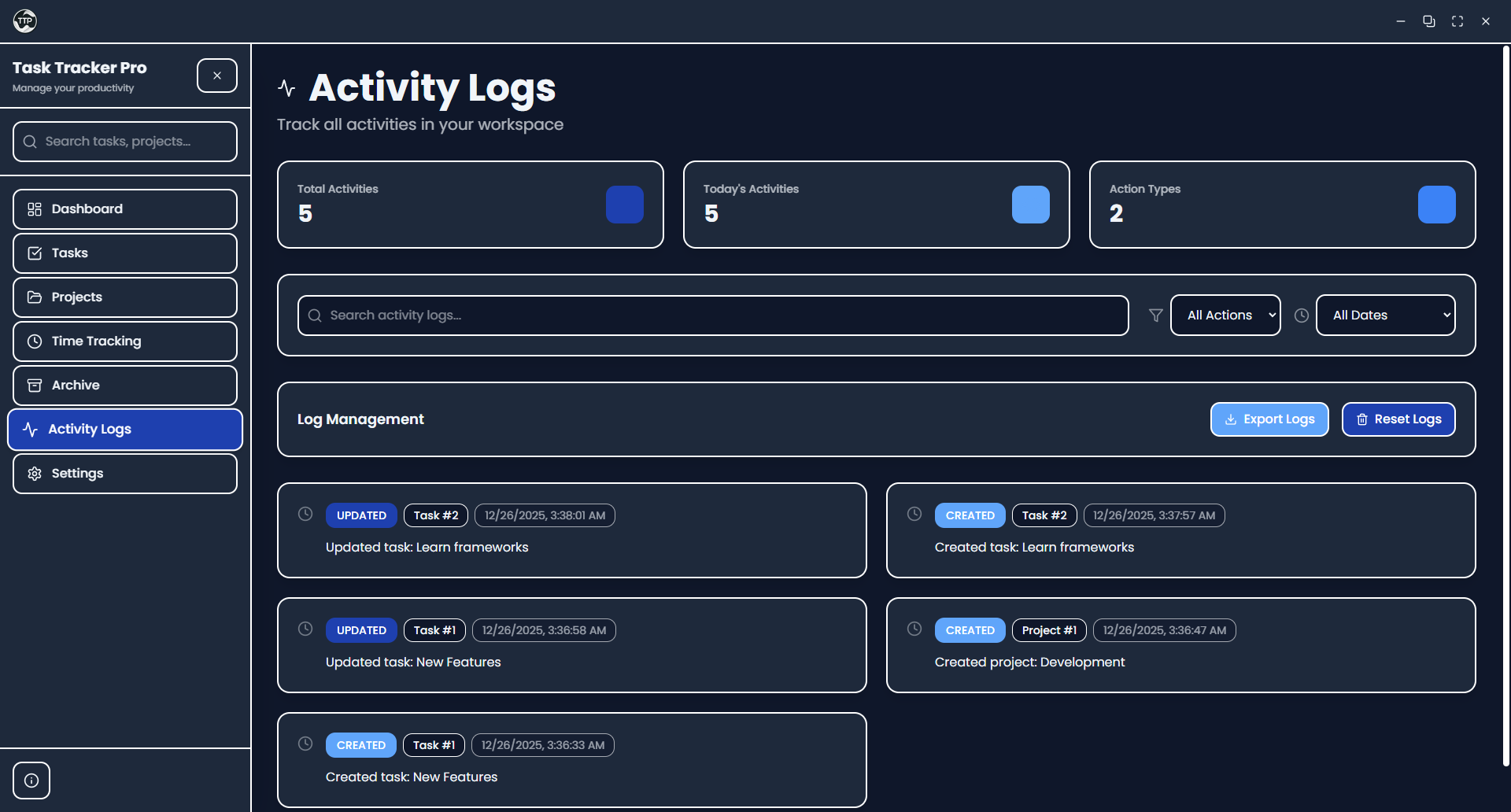
| Activity Logs | See what you've been working on recently |
| Search | Quickly find any task or project |
| Backup & Restore | Export and import your data anytime |
Task Features
- Priority Levels: Low, Medium, High, Urgent - organize by importance
- Status Tracking: To Do, In Progress, Completed, Archived
- Due Dates: Set deadlines and see what's coming up
- Notes: Add descriptions and details to tasks
- Favorites: Star important tasks for quick access
- Batch Actions: Select multiple tasks to archive or delete at once
- Filtering: Find tasks by status, priority, or project
Project Features
- Color Coding: Give each project its own color for easy identification
- Task Grouping: Keep related tasks organized together
- Progress View: See how many tasks are done in each project
Time Tracking
- Simple Timer: Click start, do your work, click stop
- Manual Entry: Add time entries after the fact
- History: See where your time has been going
Dashboard
- Quick Stats: Tasks completed, time logged, projects active
- Charts: Visual breakdown of your productivity
- Recent Activity: What you've been up to lately
- Upcoming: Tasks due soon
Personalization
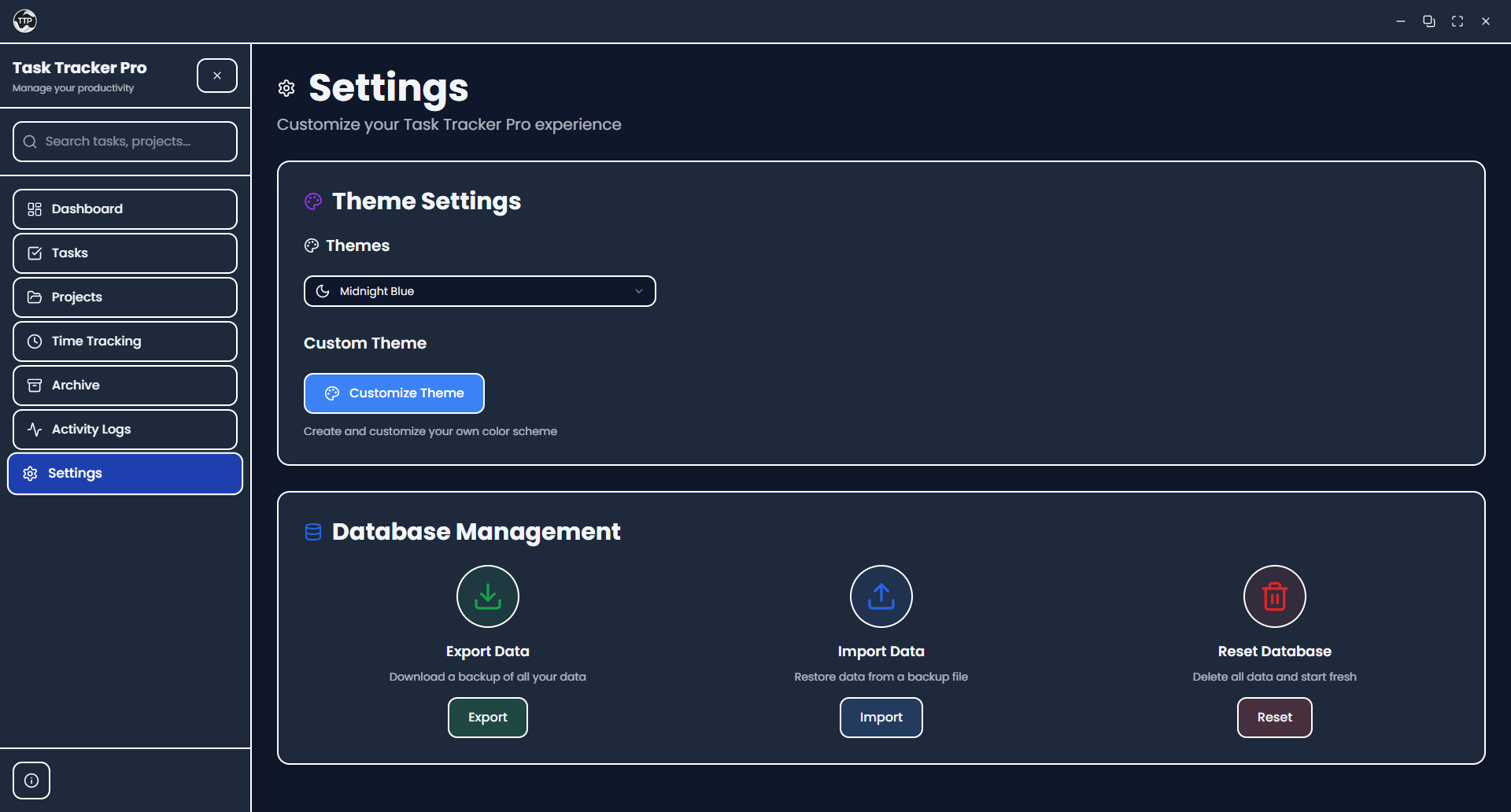
- Themes: Light, Dark, or match your system
- Custom Colors: Create your own color scheme
- Clean Interface: Collapsible sidebar for more space
Screenshots
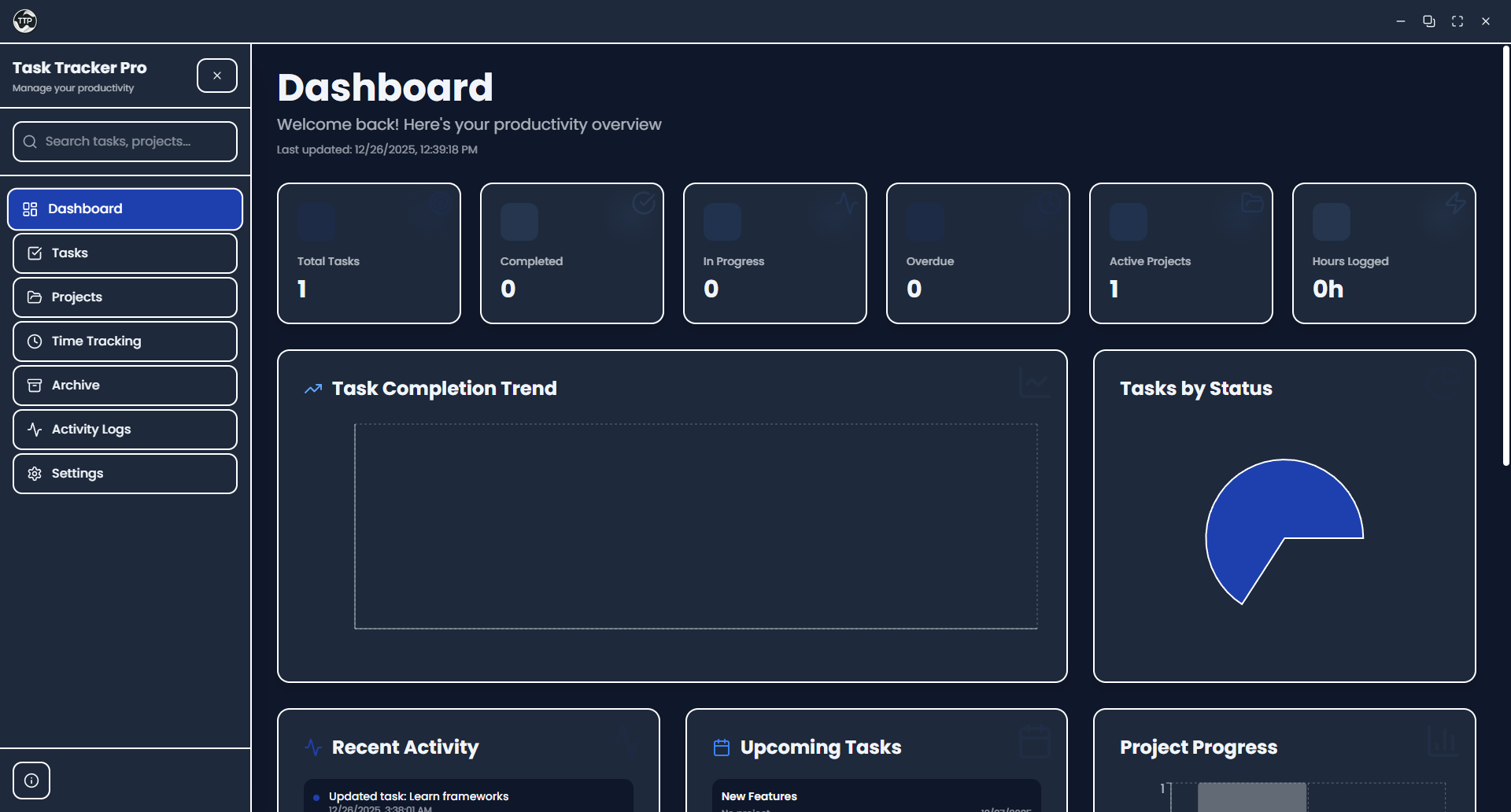
Dashboard
The main dashboard gives you a quick overview of your tasks, projects, and time tracked.
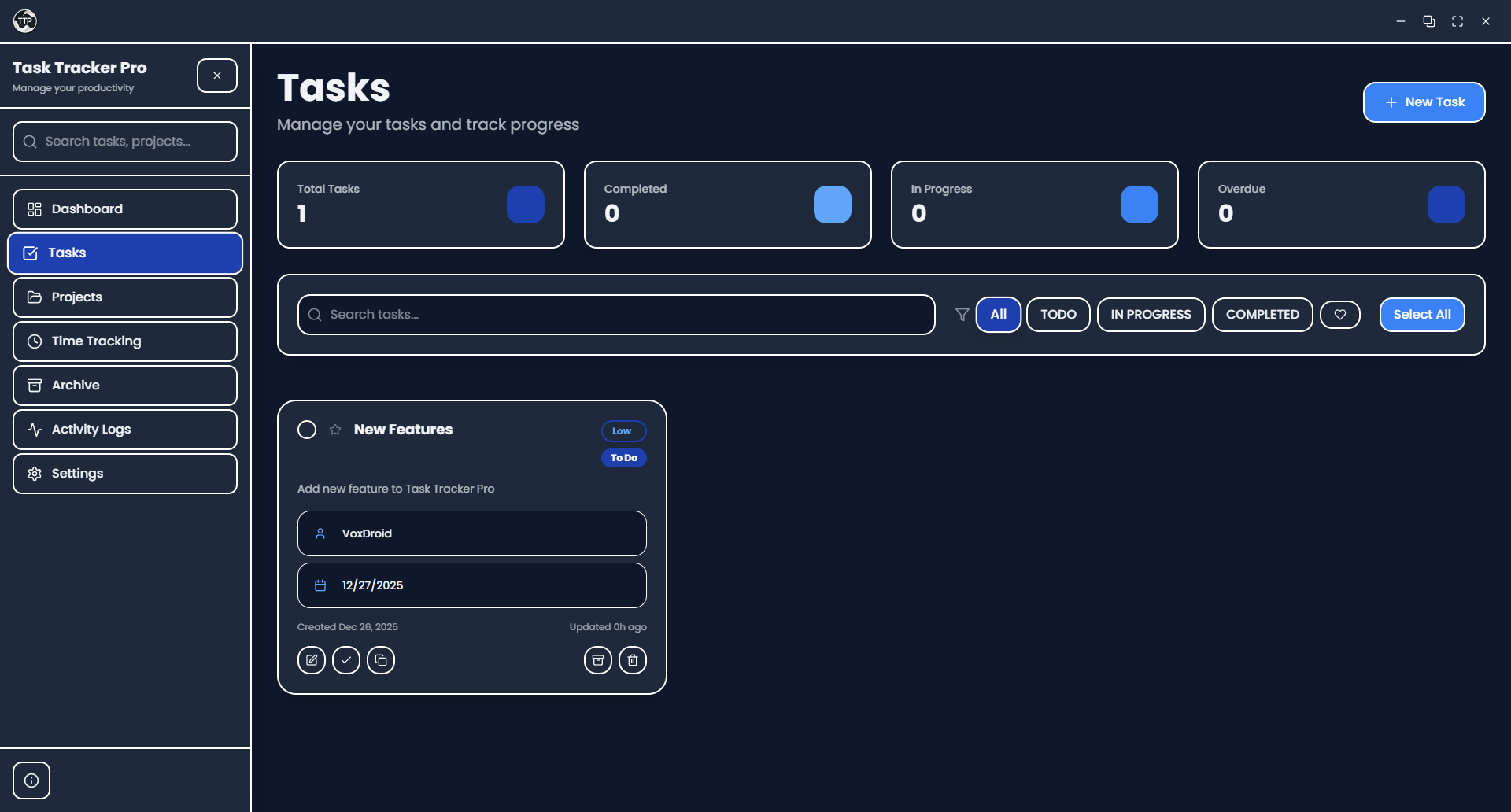
Tasks
Manage all your tasks in one place with filtering, sorting, and batch actions.
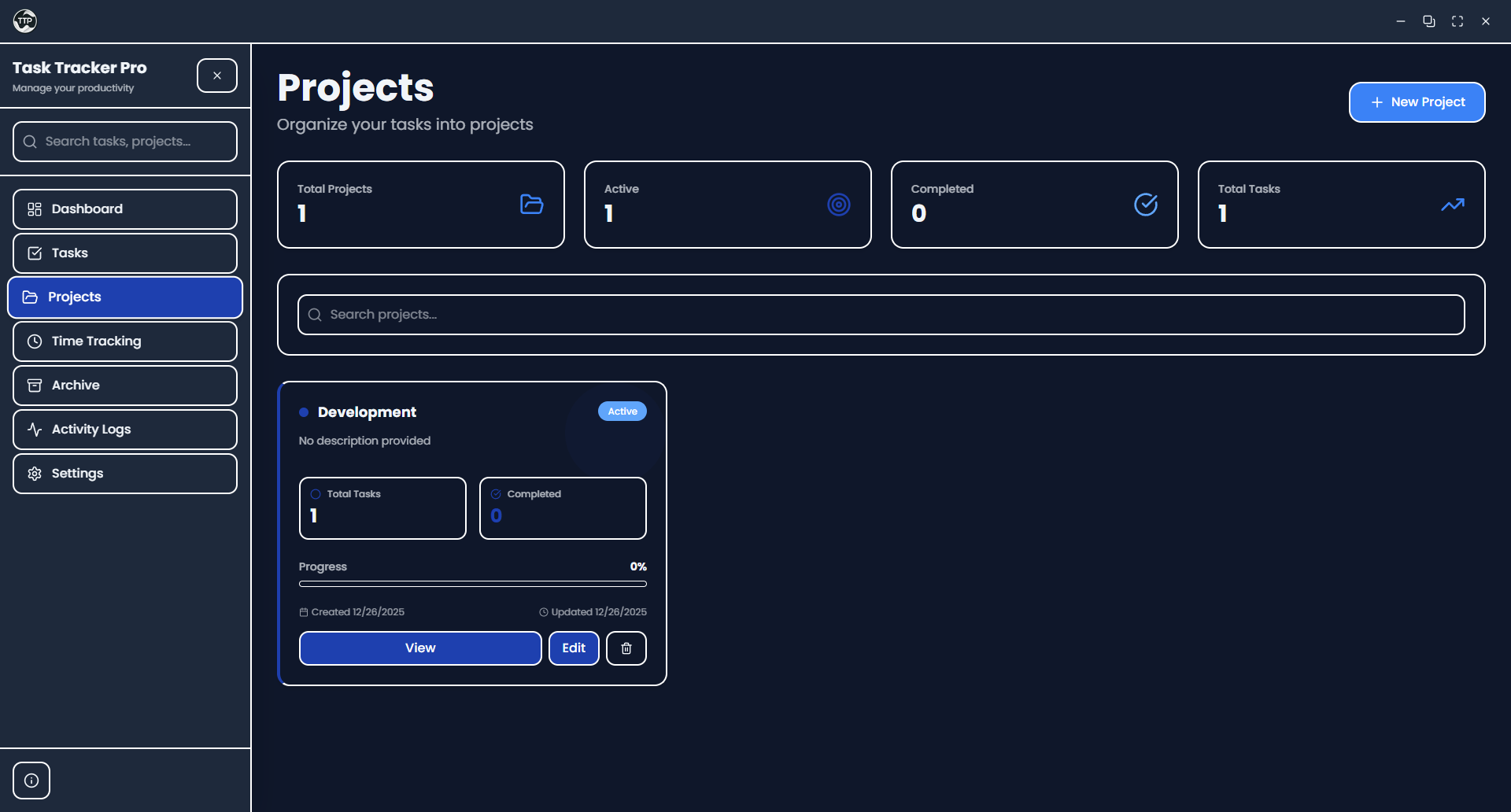
Projects
Organize tasks into color-coded projects.
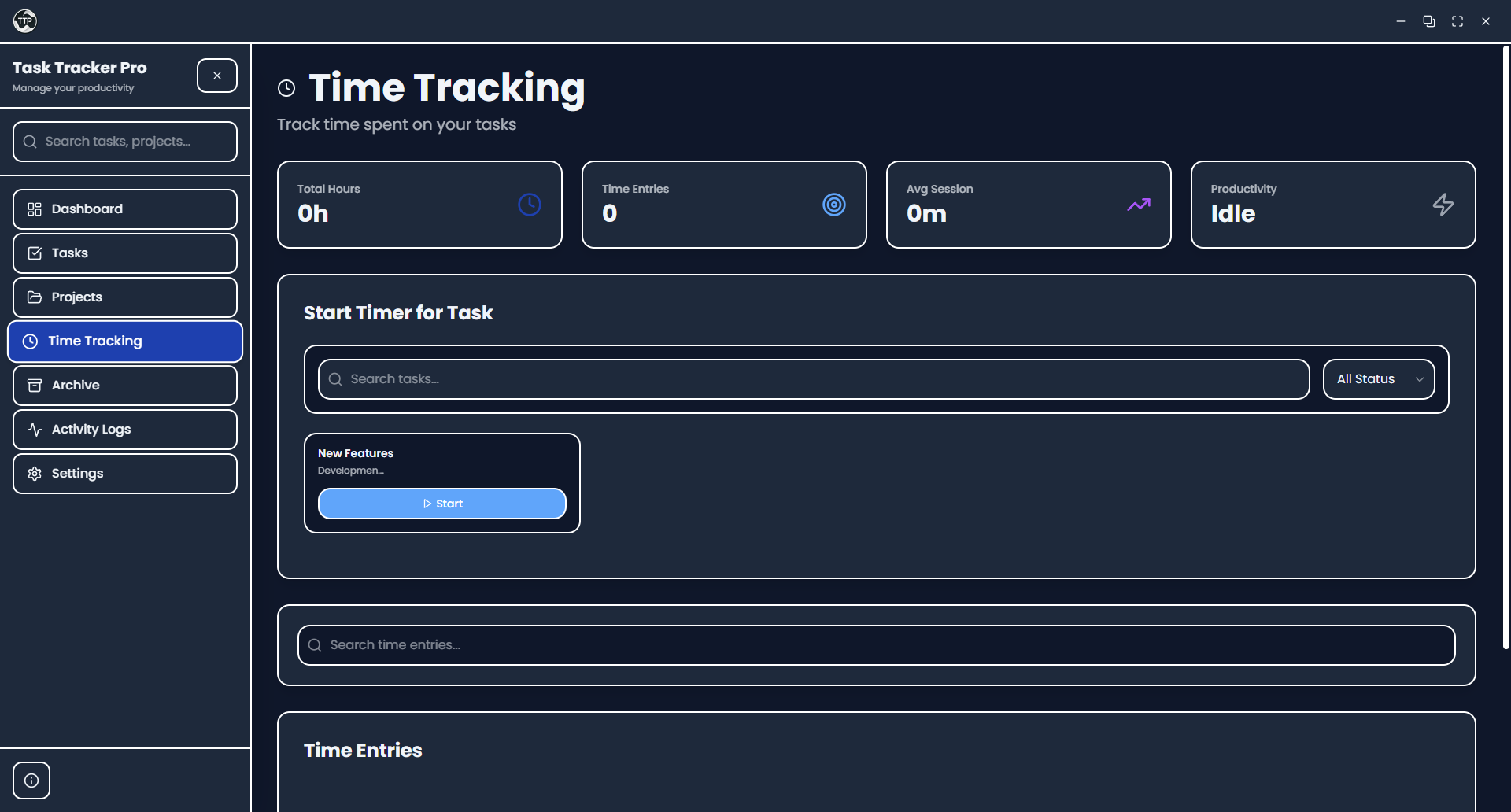
Time Tracking
Track time spent on tasks with a simple start/stop timer.
Archive
Keep completed tasks archived for future reference.
Activity Logs
See a history of all your actions and changes.
Settings & Themes
Customize the app with different themes or create your own color scheme.
System Requirements
Task Tracker Pro is lightweight and should run on most modern computers.
| Component | Requirement |
|---|---|
| Operating System | Windows 10+, macOS 10.15+, or Linux |
| RAM | 4 GB minimum |
| Storage | ~200 MB |
| Display | 1280x720 or higher |
Installation
Pre-built Releases
Download the latest release for your operating system from the Releases page.
| Platform | File Format |
|---|---|
| Windows | .exe (NSIS installer) |
| macOS | .dmg |
| Linux | .AppImage, .deb |
Building from Source
Prerequisites
Before building from source, ensure you have the following installed:
- Node.js: v18.0.0 or higher (Download)
- pnpm: v8.0.0 or higher (recommended) or npm
- Git: Latest version (Download)
Platform-specific requirements:
| Platform | Additional Requirements |
|---|---|
| Windows | Visual Studio Build Tools with C++ workload |
| macOS | Xcode Command Line Tools (xcode-select --install) |
| Linux | build-essential, python3 |
Installation Steps
-
Clone the repository
git clone https://github.com/VoxDroid/Task-Tracker-Pro.git cd Task-Tracker-Pro -
Install dependencies
# Using pnpm (recommended) pnpm install # Or using npm npm install -
Rebuild native modules (if needed)
# For Electron compatibility with better-sqlite3 pnpm rebuild better-sqlite3 -
Run in development mode
# Start the Electron app in development pnpm electron-dev # Or run just the Next.js development server pnpm dev -
Build for production
# Build for current platform
pnpm build-electron

# Build for specific platforms
pnpm build-electron-win    # Windows
pnpm build-electron-mac    # macOS
pnpm build-electron-linux  # Linux

# Build for all platforms
pnpm dist-all
Running with Docker
You can also run Task Tracker Pro as a web application using Docker. This is useful for development, testing, or deploying to servers.
Prerequisites
- Docker: Latest version (Download)
- Docker Compose: Usually included with Docker Desktop
Docker Setup
-
Clone the repository
git clone https://github.com/VoxDroid/Task-Tracker-Pro.git cd Task-Tracker-Pro -
Build and run with Docker Compose
# Build and start the application docker-compose up --build # Or run in background docker-compose up -d --build -
Access the application
Open your browser and go to
http://localhost:3456
Docker Commands
# Start the application (production)
docker-compose up

# Start in development mode
docker-compose -f docker-compose.yml up task-tracker-dev

# Stop the application
docker-compose down

# Rebuild after code changes
docker-compose up --build

# View logs
docker-compose logs

# Access the container shell
docker-compose exec task-tracker-pro sh
Note: When running in Docker, the application runs as a web app rather than a desktop application. Your data is persisted in the ./data directory on your host machine.
Usage
Getting Started
-
Launch the application - Just double-click the installed app, or run
pnpm electron-devif you're developing. -
Create a project - Go to Projects and click "New Project". Give it a name and pick a color.
-
Add some tasks - Head to Tasks and click "Add Task". Fill in what you need to do.
-
Track your time - When you start working on something, go to Time Tracking and hit the timer.
-
Check your progress - The Dashboard shows you how you're doing with charts and stats.
Backing Up Your Data
Your data is stored locally, so it's a good idea to back it up occasionally.
To export:
- Go to Settings
- Click Export Data
- Save the JSON file somewhere safe
To import:
- Go to Settings
- Click Import Data
- Select your backup file
To start fresh:
- Go to Settings
- Click Reset Database (this deletes everything, so be sure!)
Project Structure
Task-Tracker-Pro/
├── app/                          # Next.js App Router pages
│   ├── api/                      # API routes
│   │   ├── dashboard/            # Dashboard data endpoints
│   │   │   ├── charts/           # Chart data
│   │   │   ├── combined/         # Combined dashboard data
│   │   │   └── stats/            # Statistics
│   │   ├── database/             # Database management
│   │   │   ├── export/           # Export endpoint
│   │   │   ├── import/           # Import endpoint
│   │   │   └── reset/            # Reset endpoint
│   │   ├── logs/                 # Activity logs endpoint
│   │   ├── projects/             # Projects CRUD
│   │   ├── search/               # Global search
│   │   ├── tasks/                # Tasks CRUD
│   │   └── time-entries/         # Time entries CRUD
│   ├── archive/                  # Archive page
│   ├── logs/                     # Activity logs page
│   ├── projects/                 # Projects pages
│   ├── settings/                 # Settings page
│   ├── tasks/                    # Tasks page
│   ├── time-tracking/            # Time tracking page
│   ├── globals.css               # Global styles
│   ├── layout.tsx                # Root layout
│   ├── loading.tsx               # Loading component
│   ├── page.tsx                  # Dashboard (home page)
│   └── template.tsx              # Page template
├── components/                   # React components
│   ├── ui/                       # UI components (shadcn/ui)
│   ├── dashboard-skeleton.tsx    # Dashboard loading skeleton
│   ├── modal.tsx                 # Base modal component
│   ├── notification.tsx          # Notification system
│   ├── project-edit-modal.tsx    # Project edit modal
│   ├── project-form-modal.tsx    # Project creation modal
│   ├── providers.tsx             # App providers
│   ├── search-bar.tsx            # Global search bar
│   ├── sidebar.tsx               # Navigation sidebar
│   ├── task-edit-modal.tsx       # Task edit modal
│   ├── task-form-modal.tsx       # Task creation modal
│   ├── task-view-modal.tsx       # Task view modal
│   ├── theme-provider.tsx        # Theme context provider
│   ├── time-entry-modal.tsx      # Time entry modal
│   └── title-bar.tsx             # Custom window title bar
├── data/                         # SQLite database storage
├── electron/                     # Electron main process
│   ├── database.js               # Database utilities
│   ├── main.js                   # Main process entry
│   ├── next.config.js            # Next.js config for Electron
│   └── preload.js                # Preload script
├── hooks/                        # Custom React hooks
│   ├── use-mobile.tsx            # Mobile detection hook
│   └── use-toast.ts              # Toast notification hook
├── lib/                          # Shared utilities
│   ├── database.ts               # Database connection & queries
│   ├── types.ts                  # TypeScript type definitions
│   └── utils.ts                  # Utility functions
├── public/                       # Static assets
│   ├── fonts/                    # Custom fonts
│   └── TaskTrackerPro.png        # Application icon
├── scripts/                      # Build & utility scripts
│   ├── init-database.js          # Database initialization
│   └── reset-database.sql        # Database reset script
├── styles/                       # Additional styles
│   └── globals.css               # Global CSS
├── .github/                      # GitHub configuration
│   ├── ISSUE_TEMPLATE/           # Issue templates
│   └── PULL_REQUEST_TEMPLATE.md  # PR template
├── components.json               # shadcn/ui configuration
├── next.config.mjs               # Next.js configuration
├── package.json                  # Project dependencies
├── postcss.config.mjs            # PostCSS configuration
├── tailwind.config.ts            # Tailwind CSS configuration
└── tsconfig.json                 # TypeScript configuration
Technology Stack
Frontend
| Technology | Purpose |
|---|---|
| Next.js 16 | React framework with App Router |
| React 19 | UI library |
| TypeScript | Type safety |
| Tailwind CSS | Utility-first styling |
| shadcn/ui | UI component library |
| Radix UI | Accessible primitives |
| Recharts | Data visualization |
| TanStack Query | Data fetching & caching |
| React Hook Form | Form management |
| Zod | Schema validation |
| Lucide React | Icons |
Backend
| Technology | Purpose |
|---|---|
| Next.js API Routes | REST API endpoints |
| better-sqlite3 | SQLite database |
Desktop
| Technology | Purpose |
|---|---|
| Electron | Cross-platform desktop framework |
| electron-builder | Application packaging |
Development Tools
| Tool | Purpose |
|---|---|
| pnpm | Package manager |
| ESLint | Code linting |
| Concurrently | Parallel script execution |
| cross-env | Cross-platform environment variables |
For Developers
Click to expand technical documentation
API Reference
The app uses a REST API internally. If you're developing or extending the app, here are the endpoints:
| Endpoint | Methods | Description |
|---|---|---|
/api/tasks | GET, POST | List all tasks or create new |
/api/tasks/:id | GET, PATCH, DELETE | Get, update, or delete a task |
/api/projects | GET, POST | List all projects or create new |
/api/projects/:id | GET, PATCH, DELETE | Get, update, or delete a project |
/api/time-entries | GET, POST | List time entries or create new |
/api/time-entries/:id | GET, PATCH, DELETE | Get, update, or delete entry |
/api/dashboard/combined | GET | Get all dashboard data |
/api/database/export | GET | Export data as JSON |
/api/database/import | POST | Import data from JSON |
/api/database/reset | POST | Reset database |
/api/search?q=query | GET | Search everything |
/api/logs | GET | Get activity logs |
Database
The app uses SQLite with the following main tables:
- projects - Your projects with name, color, and status
- tasks - Tasks with title, priority, status, due date, etc.
- time_entries - Time tracking records linked to tasks
- activity_logs - History of actions taken
- tags / task_tags - Tagging system (for future use)
Scripts
| Script | What it does |
|---|---|
pnpm dev | Start dev server (web only) |
pnpm electron-dev | Start dev with Electron |
pnpm build-electron | Build for your current OS |
pnpm build-electron-win | Build for Windows |
pnpm build-electron-mac | Build for macOS |
pnpm build-electron-linux | Build for Linux |
pnpm lint | Check code quality |
Troubleshooting
App won't start or shows blank screen
- Make sure port 3456 isn't being used by something else
- Try deleting the
data/folder and restarting - If building from source, run
pnpm rebuild better-sqlite3
Database errors
- Go to Settings and click Reset Database
- Or delete
data/tasktracker.dband restart the app - If building from source:
pnpm rebuild better-sqlite3
"Another instance is already running"
- Close any other Task Tracker Pro windows
- Check Task Manager for stuck processes
- Restart the app
Build errors on Windows
- Install Visual Studio Build Tools with C++ workload
- Run
pnpm rebuild
Contributing
Contributions are welcome! Whether it's bug fixes, new features, or documentation improvements.
- Fork the repository
- Create a feature branch (
git checkout -b feature/cool-thing) - Make your changes
- Push and open a Pull Request
Please use the issue templates for bug reports and feature requests.
License
This project is proprietary software. All rights reserved.
Copyright (c) 2025 VoxDroid
Built With
- Next.js - React framework
- Electron - Desktop app framework
- shadcn/ui - UI components
- Tailwind CSS - Styling
- better-sqlite3 - Local database
- Recharts - Charts
Task Tracker Pro
A simple productivity tool for everyday use.
Made by VoxDroid
Latest commits
- Improve DB init, markdown images, and typings8a66ca0 · Feb 19, 2026
- Fix formatting in package.json9ff595c · Jan 5, 2026
- Add ESLint and Prettier configuration88820ae · Jan 5, 2026
- Consistently use single quotes and minor code cleanupeea4ddf · Jan 5, 2026
- Refactor components for code style and consistency9c2ea91 · Jan 5, 2026
- Refactor API and pages to use single quotes and improve formattingbdfd745 · Jan 5, 2026
- Standardize GitHub issue and PR templates formattingcac212a · Jan 5, 2026
- Replace static logo with AppLogo component0bd2728 · Jan 5, 2026